Migrating Statuspage to Atlassian Identity

2019 - 2021
A multi-phase account and SSO migration into the Atlassian ecosystem
Project overview
After Statuspage was acquired by Atlassian, it needed to transition from a standalone identity and SSO model to the Atlassian Identity and Access platform. I led the end-to-end migration experience that moved customer accounts, login flows, and authentication management into the Atlassian ecosystem; including adoption of Atlassian Access for SSO and centralized admin controls. This was a multi-phase, year-long migration affecting account creation, login behavior, signup flows, and legacy user credentials. The work required careful sequencing, clear user communication, and guardrails to prevent account confusion or lockout while transitioning thousands of users to a new identity system.

Context: Post-acquisition platform integration
Scope: Identity + authentication migration
Timeline: ~1 year, 4 rollout phases
Users impacted: Account admins, team members, enterprise customers using SSO
My role: Lead Product Designer - Migration UX, login & signup flows, identity transition experience
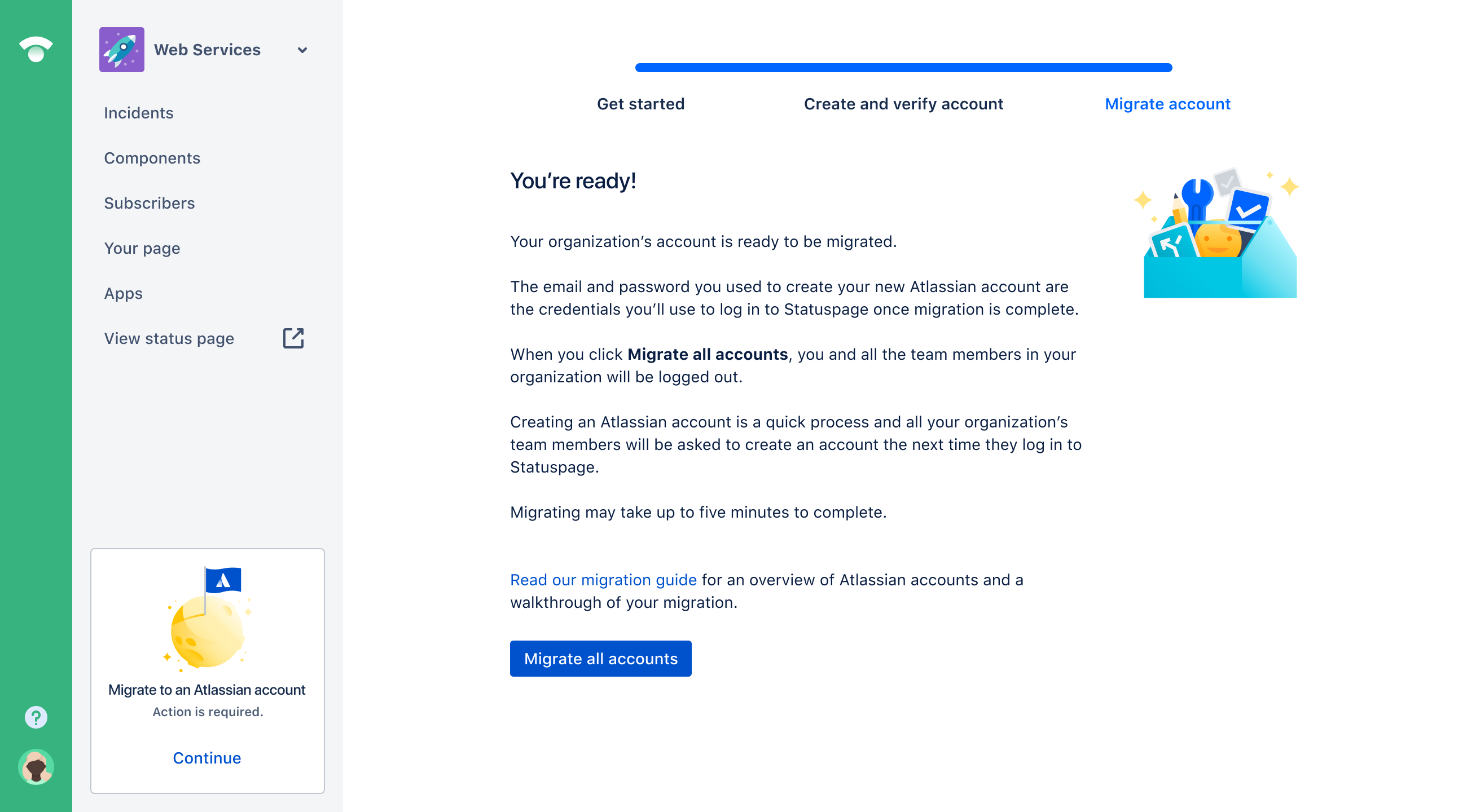
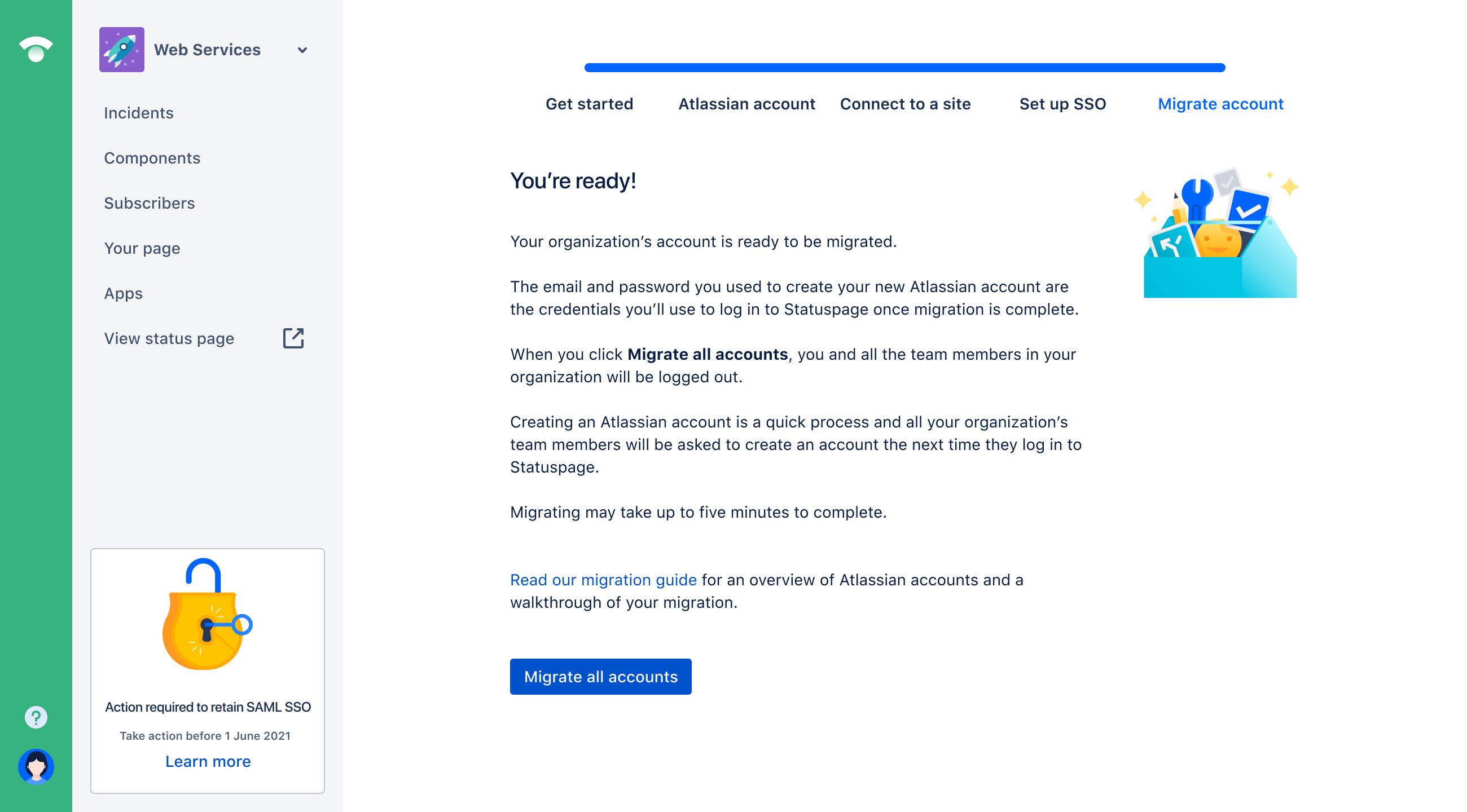
Statuspage account admin flows - happy paths

Last page of migration flow for different types of Statuspage admins

Statuspage web service interface showing account migration instructions with options to get started, create and verify account, and migrate account, plus a button to migrate all accounts.
Atlassian Statuspage migration screen showing instructions and a blue button to migrate all accounts.
Web Services account migration page with instructions, a blue button labeled 'Migrate all accounts,' and an unlocked padlock illustration.
Web Services dashboard showing steps to set up single sign-on with Atlassian Access subscription, including important admin steps and options to skip or confirm setup.
Design challenges
Key contributions

Four phase migration rollout

Influenced rollout sequencing that reduced customer disruption during ecosystem integration

Phase 1 - Stop Legacy Account Creation

New Statuspage accounts had to be created through the Atlassian ecosystem
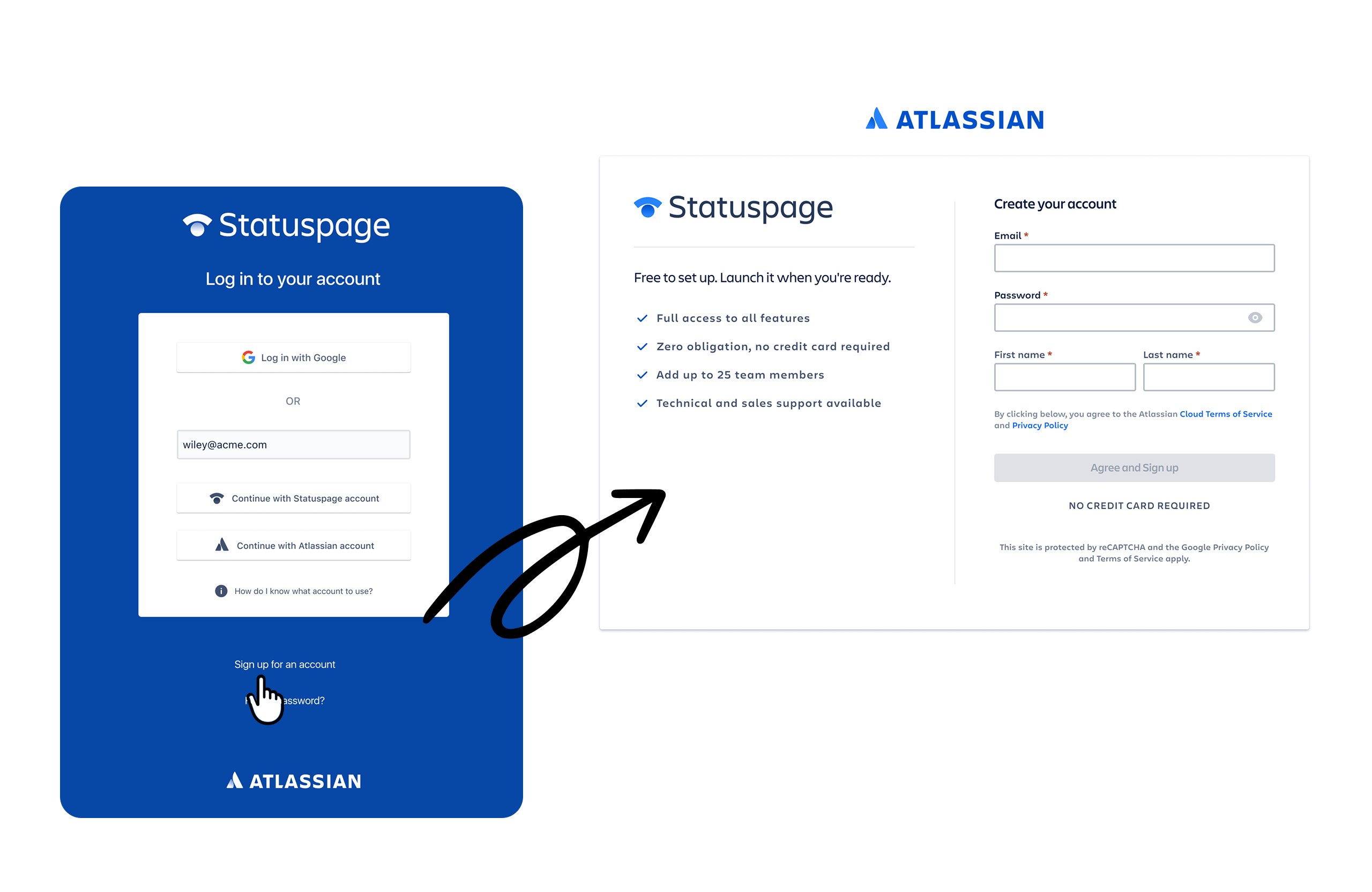
Statuspage login screen with options to log in via Google, Statuspage, or Atlassian account, alongside a signup form showing benefits like no credit card required.

Phase 2 - Dual Login Transition

New Statuspage accounts could no longer be created outside the Atlassian ecosystem, shifting new users to Atlassian Identity from the start. Legacy users could still log in, but during the transition there was a dual-login model, and organizations could exist under different authentication systems.
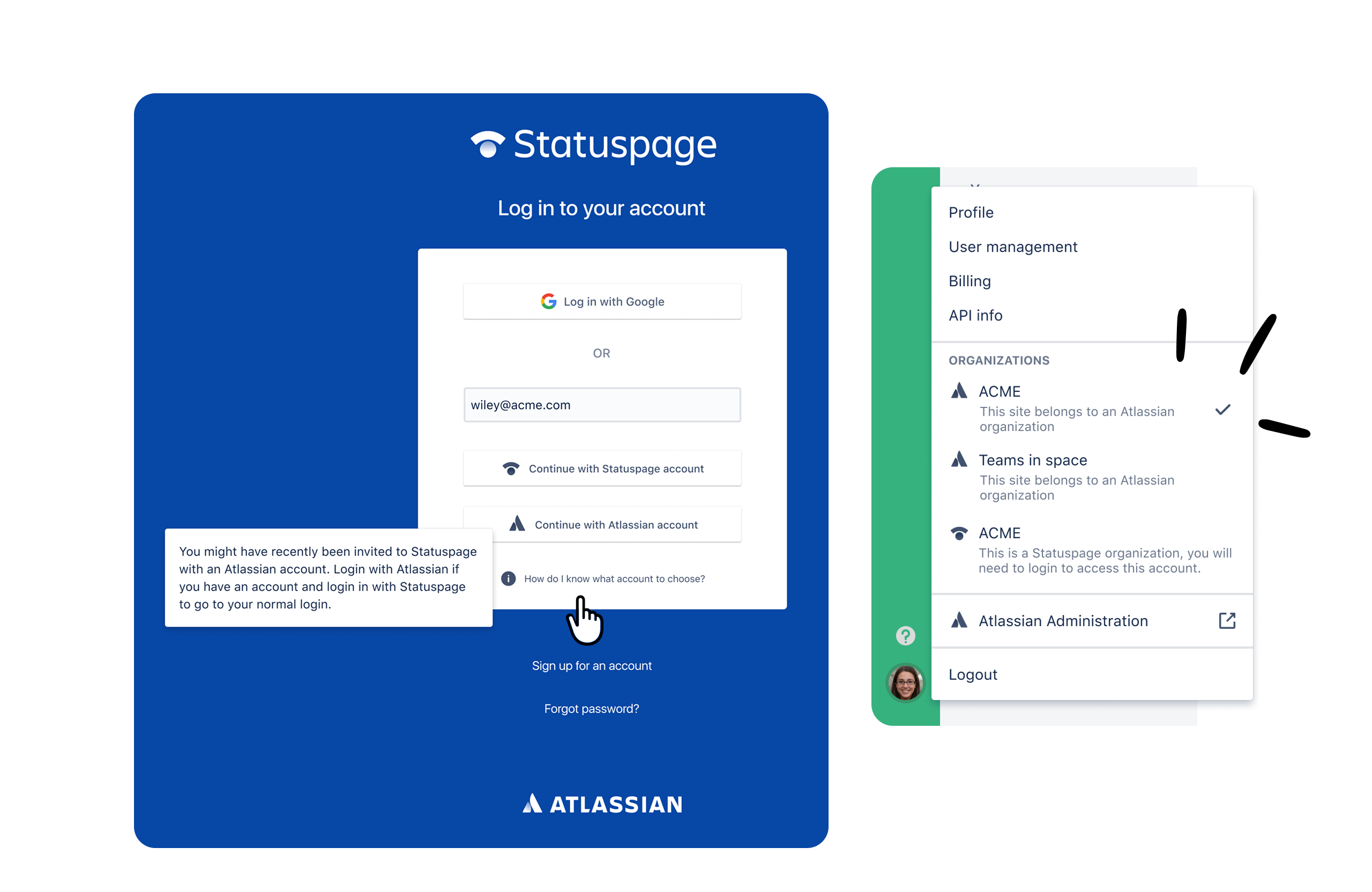
Statuspage login screen with options to log in using Google, Statuspage account, or Atlassian account, alongside an account selection menu highlighting organizations including ACME and Teams in space.

Phase 3 - Sign up flow expansion

Atlassian signup flows were extended to support multiple Statuspage scenarios, including new sites, existing sites, and existing Atlassian accounts, reducing account duplication and confusion.

Flowchart illustrating user sign-up and site creation process for Atlassian Statuspage starting from multiple location sign-ups, with decision points on login status and site addition, including sign-up forms, email verification, and user role as site and org admin.

Phase 4 - Full account & SSO migration

Legacy Statuspage users were migrated to Atlassian Identity, and organizations adopted Atlassian Access as their new SSO and admin platform.
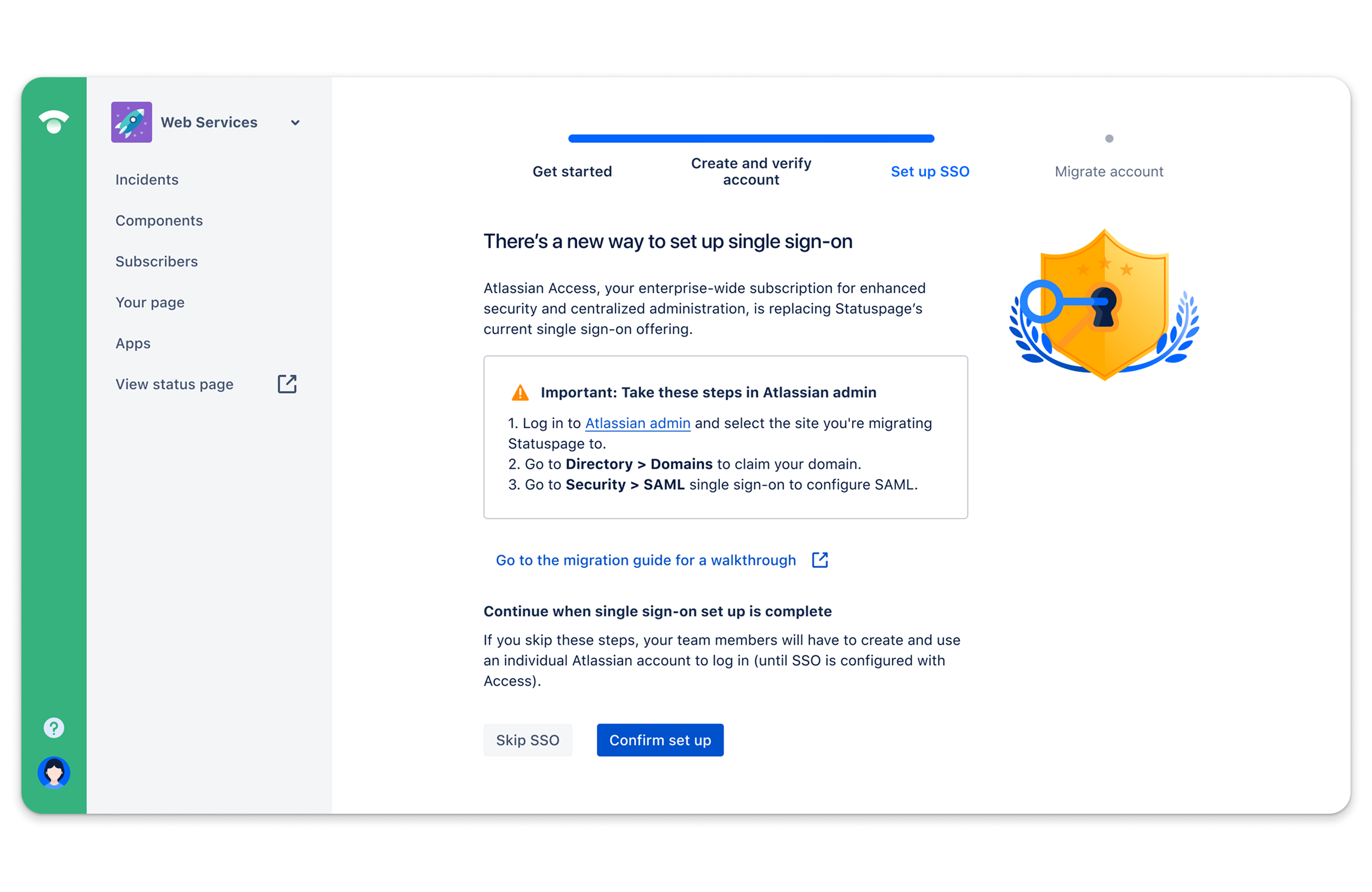
Atlassian Access setup screen for single sign-on migration with navigation menu on left and instructions to complete SSO setup.

User with no Atlassian account + SSO on Statuspage


One of six migration flow variations accounting for different identity and SSO states.

User flows - happy paths

End-to-end migration modeling to account for identity, SSO, and multi-organization edge cases.

Flowchart illustrating Admin and Owner migration processes with steps, roles, and system configurations.