Sunsetting Halp

2022 - 2023
Project overview
Halp was sunset, requiring every customer to either migrate their data to Jira Service Management (JSM) or export it for use in another tool. This migration impacted global enterprise admins, site-level admins, agents, and end users; often across large, distributed organizations with mission-critical support workflows.
The goal was to enable customers to migrate safely, incrementally, and on their own timelines, while minimizing risk, downtime, and support burden during a high-stakes transition.

Timeline: 6-7 months
Team: Product, Engineering, Product Design, Content Design
My role: Lead Product Designer (Migration strategy, workflow design, admin UX)
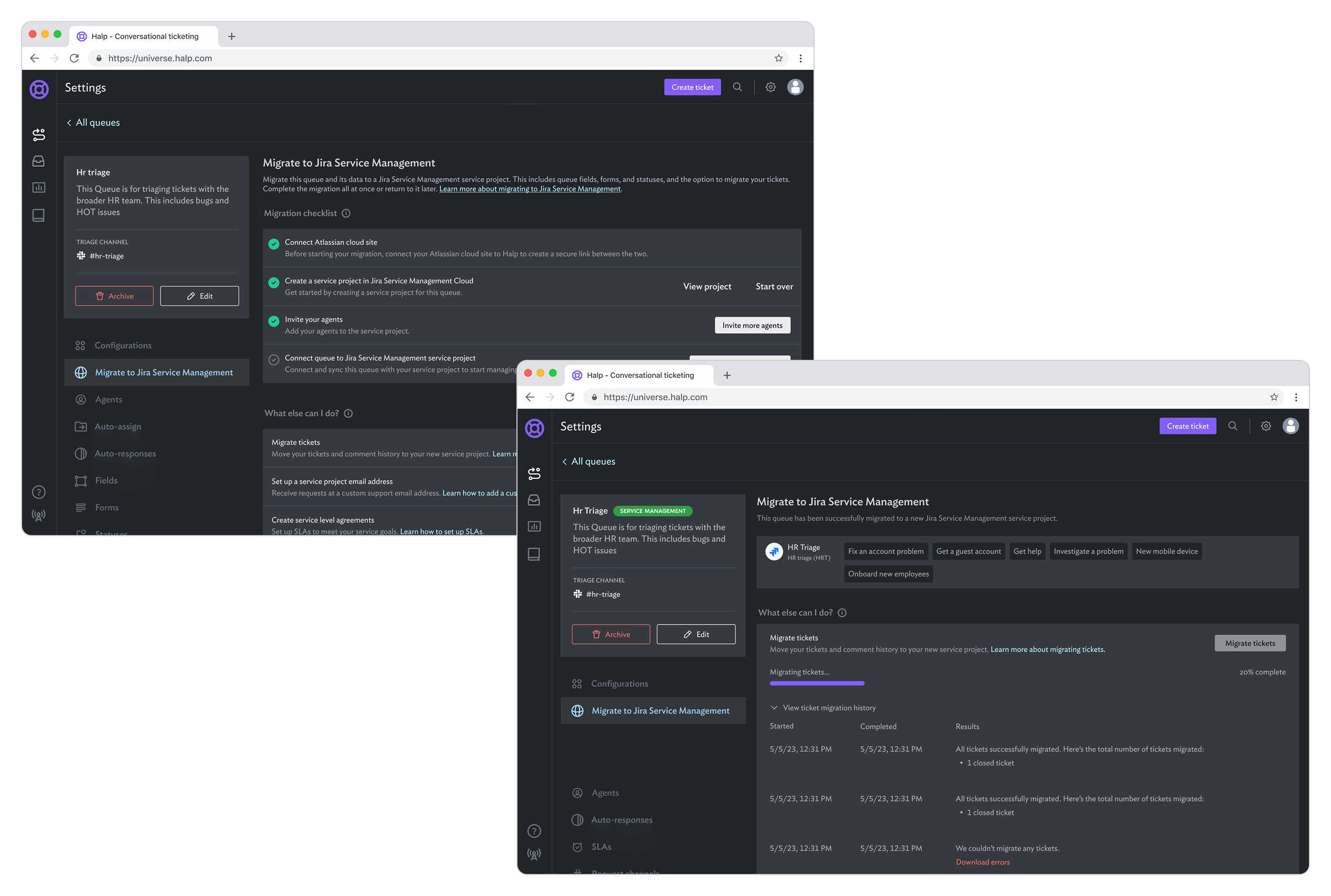
Screenshots of Halp settings interface showing the migration process of an HR triage queue to Jira Service Management with migration checklist and ticket migration history.
What was Halp?
Halp was a conversational support tool that allowed teams to manage internal requests directly from Slack and Microsoft Teams; deeply embedded in day-to-day team operations. Messages in chat were converted into structured tickets, complete with queues, agents, forms, fields, and ticket history.

For many customers, Halp functioned as their primary internal support system.
The Problem
Sunsetting Halp wasn’t just a technical migration; it was a trust moment.
Customers needed to:
  • Preserve critical ticket history, workflows, and permissions
  • Avoid breaking active support processes
  • Migrate at different times acreoss multile teams and sites
  • Validate the new system before moving production data
  • Or export their data clearly if they chose another platform
At the same time, we had to balance creating:
  • A controlled, repeatable migration path
  • Clear separation of responsibilities across admin roles
  • Reduce migration-related support and failure risk
  • A confusing or irreversible experience could result in data loss, broken workflows, or customer churn.
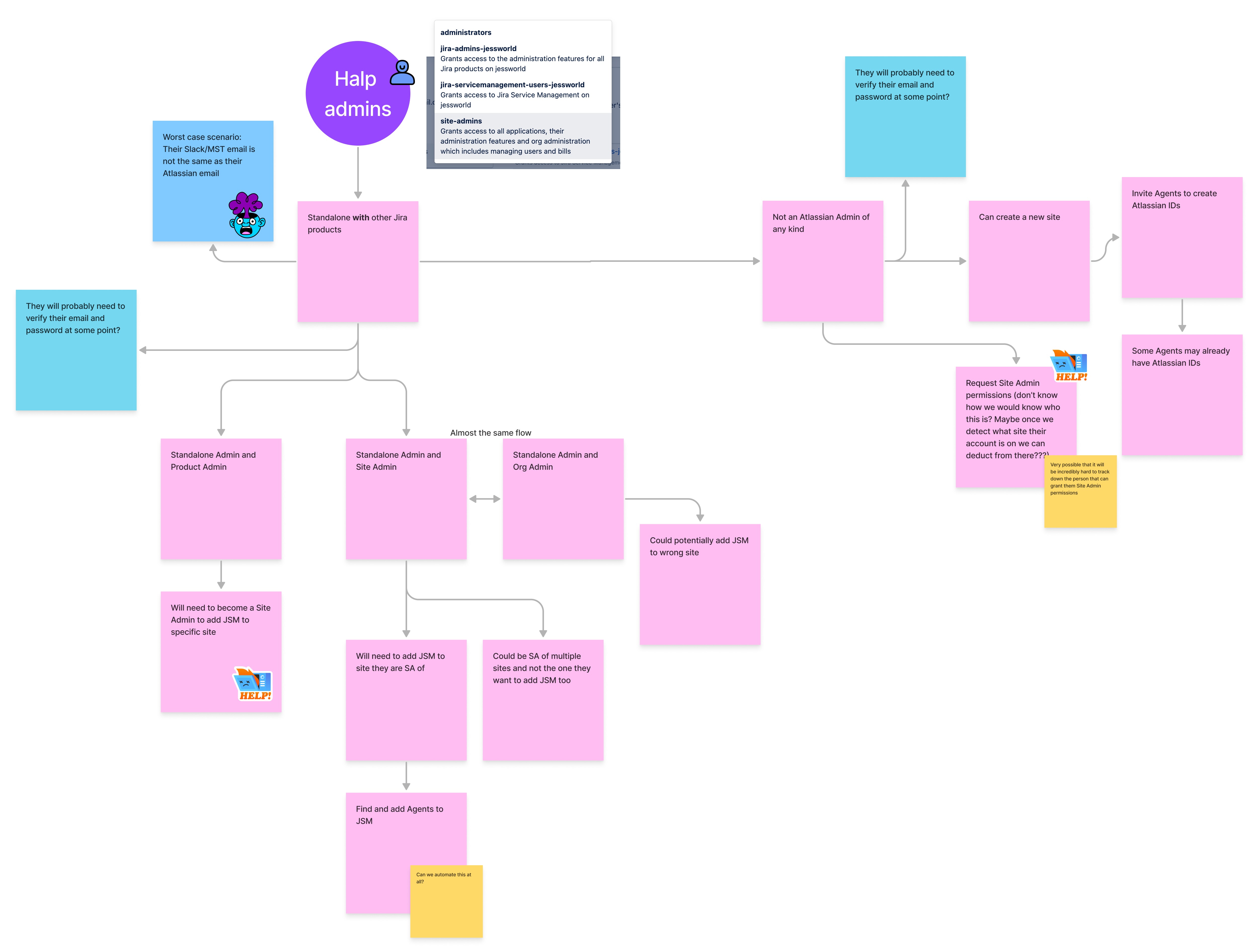
Flowchart diagram showing different user migration scenarios for Halp admins involving standalone and Jira product admins, site admins, org admins, and steps to add agents to Jira Service Management with notes about verifying emails and requesting permissions.
Additional migration considerations
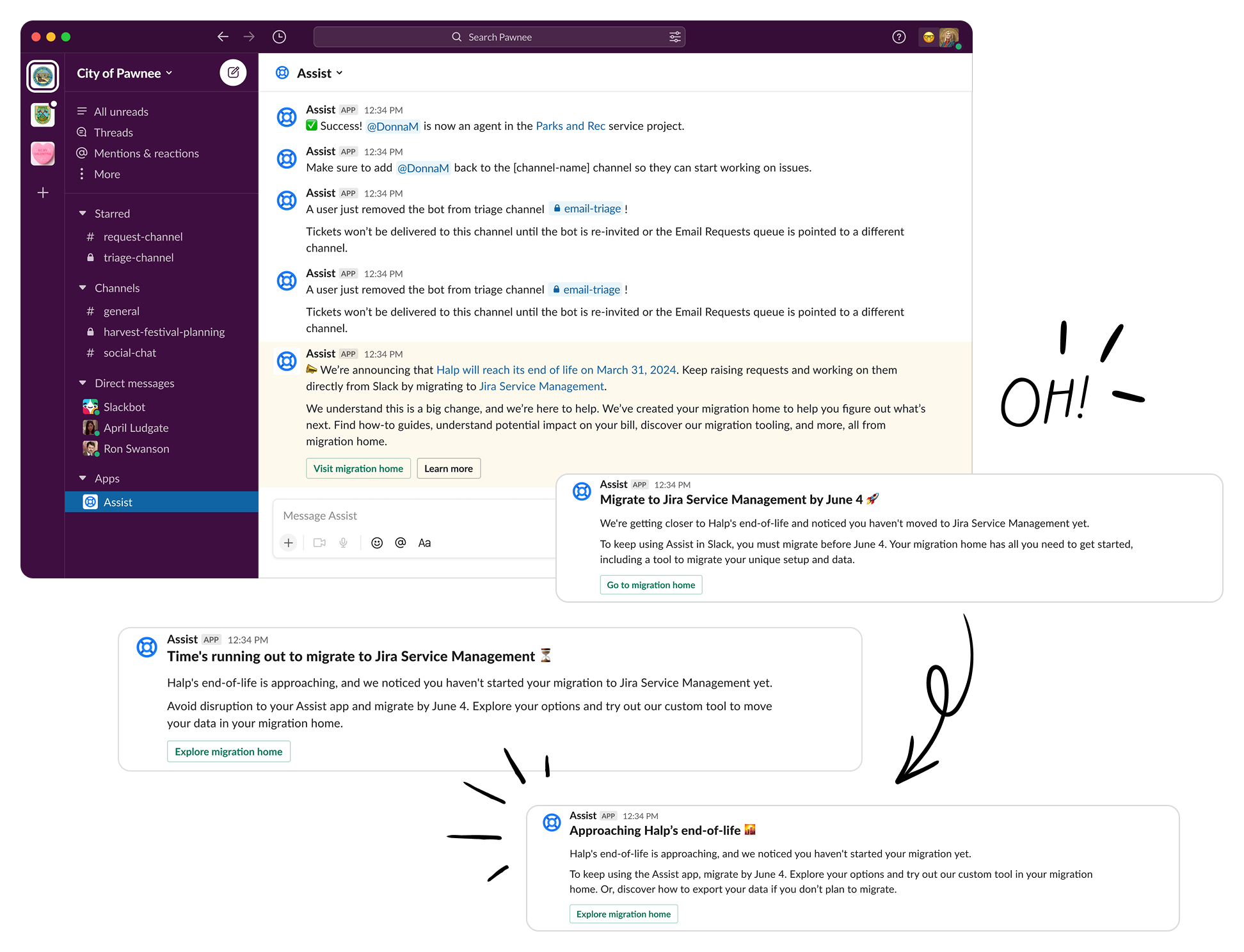
Designing the migration experience required more than mapping data from one system to another, it meant accounting for real-world organizational and identity complexity. Because Halp lived inside Slack and Microsoft Teams, the sunset and migration messaging also needed to be communicated clearly in-product and through Slack, where users actually worked.
I mapped detailed admin and agent flows to account for scenarios such as:
  • Whether users already had Atlassian accounts — and if those accounts matched their Halp email identities
  • Whether a Jira Service Management site already existed, and if admins knew which site they should connect to
  • Cases where admins lacked the permissions needed to create or connect a site
  • Mixed environments where some agents already had Atlassian access and others needed to be invited
  • Risk points where users could connect to the wrong site or migrate with incomplete setup
This upfront flow modeling helped identify edge cases early and informed guardrails, messaging, and step sequencing in the final migration experience.
Slack app interface showing 'City of Pawnee' workspace with Assist app messages announcing migration from Halp to Jira Service Management by June 4.
Global level migration
Global admins initiated migration by connecting Halp to an existing or new Jira Service Management site, establishing the organizational foundation. From there, queue admins migrated their own queues independently, aligning with real ownership models and enabling phased adoption. Bulk migration was intentionally avoided since configurations and readiness varied widely; moving one queue at a time reduced risk and allowed teams to validate outcomes before transitioning production data.
Queue level migration
Queue admins select a queue they own and follow a guided, step-by-step checklist to migrate it into a Jira Service Management project. Actions unlock sequentially, from creating the project to adding agents, connecting to JSM, and migrating tickets, preventing misconfiguration and ensuring readiness at each stage. Queues can be migrated individually or used as trial runs, allowing teams to validate settings and workflows before moving production data.